 Launch video
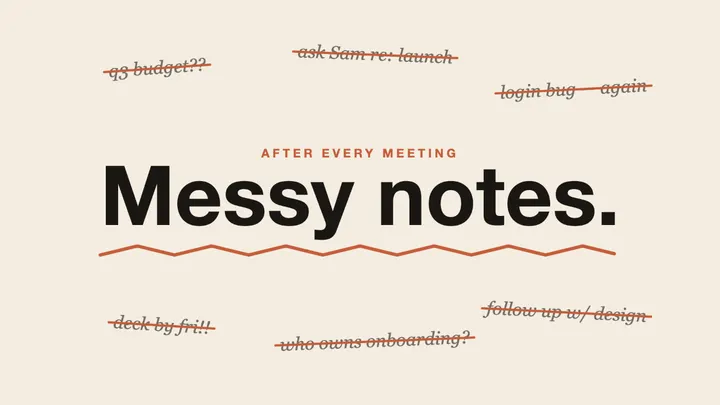
Notes app launch
Made on this site
Why it works: A plain product brief: name, three features, a tagline and a palette. This is the level of detail the generator here works best with.
Paste a product URL or describe an idea. Claude Opus 5.5 writes the animation as code, and your browser renders the Opus 5.5 video as a crisp MP4.
An independent tool built on Claude Opus 5.5. Not affiliated with Anthropic.
Videos people made with Claude Opus 5.5, each credited to its creator, plus a few made on this site. Load any prompt into the generator above.
Launch videoMade on this site
Why it works: A plain product brief: name, three features, a tagline and a palette. This is the level of detail the generator here works best with.
 Showreel
Why it works: The prompt that started the trend: a length, a format and a reason to show off.
 Launch video
Why it works: Fourteen words. It works because “modern, slick and punchy” plus a subject is enough for a first draft.
 Explainer
Why it works: One idea with a built-in twist: every explanation of recursion uses a different visual style.
 Hand-drawn
Why it works: Reads like a shot description: setting, props and a film reference for the look.
 3D and generative
Why it works: A historical brief with a date, a place and a time of day. The original is a 3D scene, which this generator does not build.
 Motion design
Why it works: Invents a genre brief instead of a product: a title sequence for a thriller that does not exist.
 Hand-drawn
Made on this site
Why it works: Written in Chinese; the on-screen copy comes out in Chinese too.
 Explainer
Why it works: The clearest technical brief here: canvas only, no libraries, every frame a pure function of time.
 Hand-drawn
Why it works: Sets a material (origami, doodle) and a sweeping subject, and asks for a short film.
 Launch video
Why it works: Asks the model to research a real SaaS and gather its assets first. That needs web access, which the generator here does not have.
 3D and generative
Why it works: Asks for a process, not a picture: paint a known image stroke by stroke.
Community videos belong to their creators and are shown as short previews with a link to the original post. If one is yours and you would like it changed or removed, email support@opus55video.org.
Film as code
Video models paint pixels and hope the letters hold together. An Opus 5.5 video is a program: Claude Opus 5.5 writes code that draws every frame, so what you see is drawn exactly, not guessed.
Headlines, numbers and product names are real text drawn on a canvas. No melted letters and no garbled logos, at any resolution.
Brand colours are hex values in the code, not an approximation. Tell it your palette and every frame of the video uses it.
Ask for a bigger headline or a slower ending and only that part of the code changes. The rest of your Opus 5.5 video stays as it was.
Use cases
The model is strongest where a designer would reach for motion graphics rather than a camera. These are the four kinds of Opus 5.5 video people ask for most.
A hook, three or four feature beats and an end card with your name on it. Paste the product URL and the copy comes from your own page.
How a rate limiter works, what your API does, why a number matters. Diagrams and labels stay legible because they are drawn, not imagined.
Eight to fourteen seconds of kinetic type in 16:9, 9:16 or 1:1, sized for the feed you are posting to.
The Sketch style draws ink lines on paper and letters titles by hand, for a warmer video than most motion graphics.
How it works
Paste a product URL or type a brief. For a URL, we read the page title, description and headings and use them as the brief.
It plans the hook, the beats and the end card, then writes the layout, type and timing as code. You watch the code arrive, then the video plays.
Your browser renders every frame and encodes the file on your device. Nothing is screen-recorded, so there are no dropped frames.
This is not a video file. It is the code Opus 5.5 wrote for the brief “Notes app launch”, running in your browser right now.
Guides
Pricing
One video is 10 credits and a change is 5. Every new account starts with one free video.
For the occasional launch or teaser.
$8.90/ month
About 4 videos a month
For founders who ship regularly.
$16.90/ month
About 11 videos a month
For teams and content at volume.
$32.90/ month
About 23 videos a month
Cancel anytime. Credits are added each month and expire after 30 days.
FAQ
Not as pixels. Claude Opus 5.5 writes the video as code — an HTML canvas animation — and your browser draws every frame and encodes the MP4. That is why text stays sharp and colours stay exact.
Motion graphics, kinetic typography, hand-drawn sketch animation, explainers and product launch videos, usually 8 to 14 seconds long. This generator does not make photorealistic footage of people or places, and its videos have no audio yet.
Not always. Many of them were made in Claude Code with extra tools such as Three.js, reference files, sound and long render times. This generator makes a single canvas video with no outside files, so the same prompt gives a shorter, simpler result.
We fetch the public page once and read its title, description and main headings, then use them as the brief. Pages behind a login cannot be read; describe the product in a sentence or two instead.
Motion is bold kinetic typography with geometric shapes and crisp transitions, like a modern product launch film. Sketch is hand-drawn: paper texture, ink lines that draw themselves and hand-lettered titles.
Writing the animation usually takes two to four minutes: Opus 5.5 plans the scenes first, then you can watch the code arrive. Exporting the MP4 typically takes less than a minute on a recent laptop.
Yes. Every new account gets one free video. Free downloads are 720p with a small watermark; paid plans download 1080p with no watermark.
A new video costs 10 credits and a change to an existing video costs 5. Plan credits are added each month and expire after 30 days. If a generation fails, the credits are returned automatically.
You do. You can use them commercially, provided you have the rights to the names, text and brand assets you put into the brief.
Recent versions of Chrome, Edge and Safari. Previews work on phones, but exporting the MP4 is fastest and most reliable on a desktop or laptop.
No. Opus 5.5 Video is an independent product that uses the Claude Opus 5.5 model through an API. It is not affiliated with or endorsed by Anthropic.
Write one sentence. Watch Opus 5.5 turn it into motion.
Open the generator